Guide 1 of 5
Create a space
A space is the top-level container in Doku. Everything you do lives inside one.
1What a space is
A space groups your projects, tasks, members, and cycles in one place. Think of it as the boundary for a team, a client, or an initiative — everyone you invite to a space sees the same tasks and groups inside it.
Most people keep one space per context. A few examples:
- Team space — “Engineering”, “Marketing”, “Design”: your team's day-to-day work.
- Client space — one space per client so their work (and members) stay separate.
- Personal space — a private space just for your own tasks and ideas.
Start with one space. You can always create more from the sidebar — there is no limit, and switching between them is one click.
2Create your first space
In the sidebar, open the Spaces menu and click the “+” to create a new space.

Give the space a name and pick a color so it's easy to recognize, then create it. You'll land straight inside the new space on its task list.
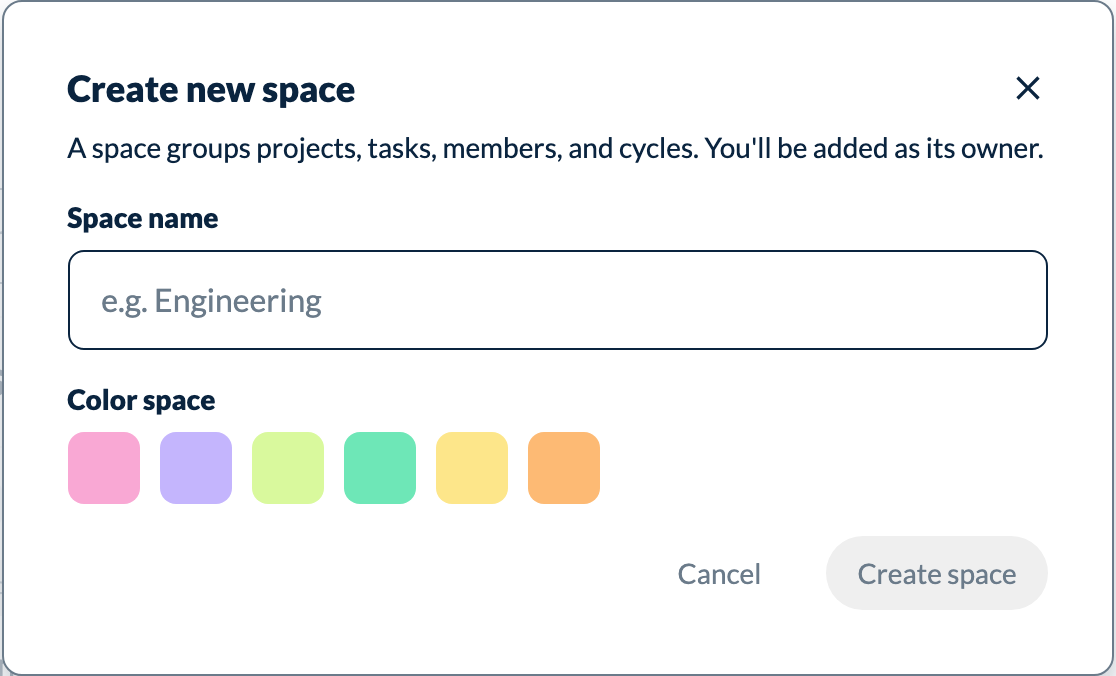
The color is only a visual cue in the sidebar — pick whatever helps you tell your spaces apart at a glance.
Open my spaces